.jpg)
In today’s fast-paced environment, the ability to quickly and efficiently develop websites is crucial for businesses and organizations. Therefore, many AI tools like ChatGPT have gained significant popularity in recent years.Users can now utilize this advanced AI technology to streamline and automate various web development tasks. In this tutorial, we’ll dive deeper into how to build a website using ChatGPT.
ChatGPT is a chatbot developed by OpenAI that uses a language processing model to generate text based on user inputs. It has a wide range of applications, from generating content and translating texts to producing code.
From a user standpoint, ChatGPT works in a very straightforward manner. You just need to input a question or prompt in the chatbox, and the AI tool will provide a relevant response.
But the process behind this advanced AI response is quite complex.
ChatGPT uses a machine learning technique called the Natural Language Processing (NLP) model. It enables computers to understand, interpret, and generate human language by combining aspects of linguistics and computer science.
However, this is not a new model. In fact, most tools, like Google Translate and Siri, that offer features like word suggestion, plagiarism detection, and proofreading, also use the NLP model.
What makes OpenAI different is that it trains ChatGPT using the Reinforcement Learning from Human Feedback (RLHF) method. It involves human feedback to measure and rank the responses based on their quality.
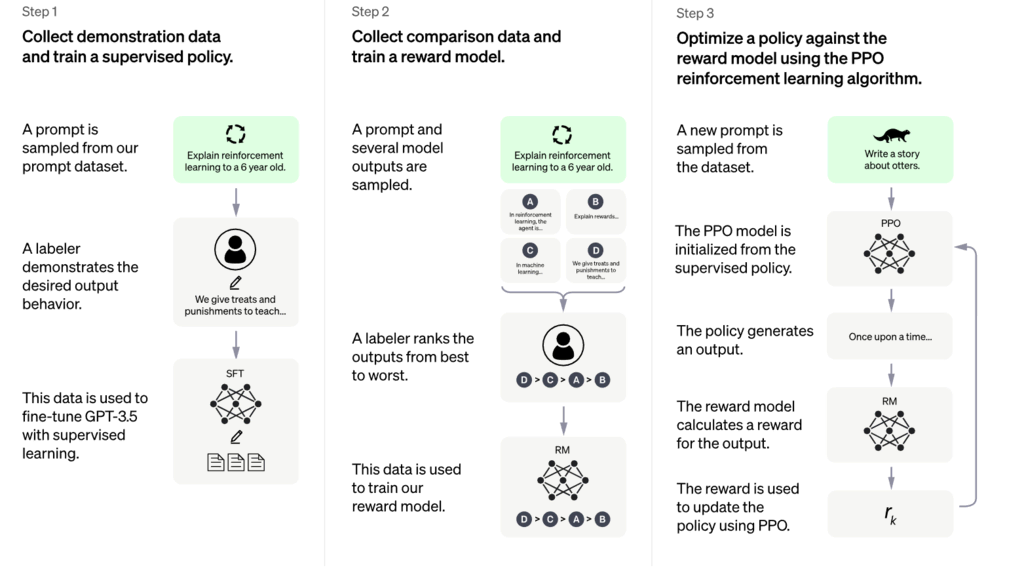
In addition, engineers apply the Proximal Policy Optimization (PPO) algorithm to finetune the reinforced learning procedure and produce more realistic responses from ChatGPT.
According to OpenAI, ChatGPT can mimic a human-like conversational pattern. The dialogue format enables the chatbot to answer follow-up questions, admit its mistakes, challenge incorrect premises, and reject inappropriate requests.
Those aspects make ChatGPT far more advanced than the existing AI-powered assistants like Siri or Alexa, as they are not trained to engage in back-and-forth conversations.
Users need to create an account on OpenAI’s website before using ChatGPT. The process is quite straightforward – all you have to do is provide some information, including your name, email address, and phone number.
Without further ado, let’s take a look at the detailed step-by-step process of setting up a new OpenAI account.
1. Navigate to OpenAI’s ChatGPT
Visit ChatGPT’s page and click Try ChatGPT to log in or create a new account. You can also get some information about this tool, including its training method, limitations, and examples of use cases.
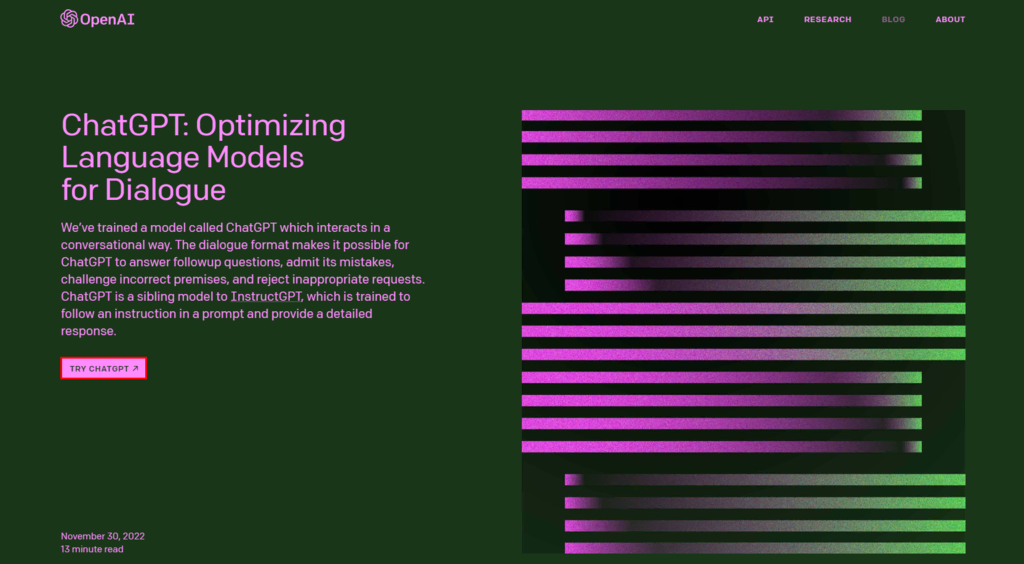
2. Enter Your Email Address and Password
Create a new account by entering your email address and password, and click Continue.
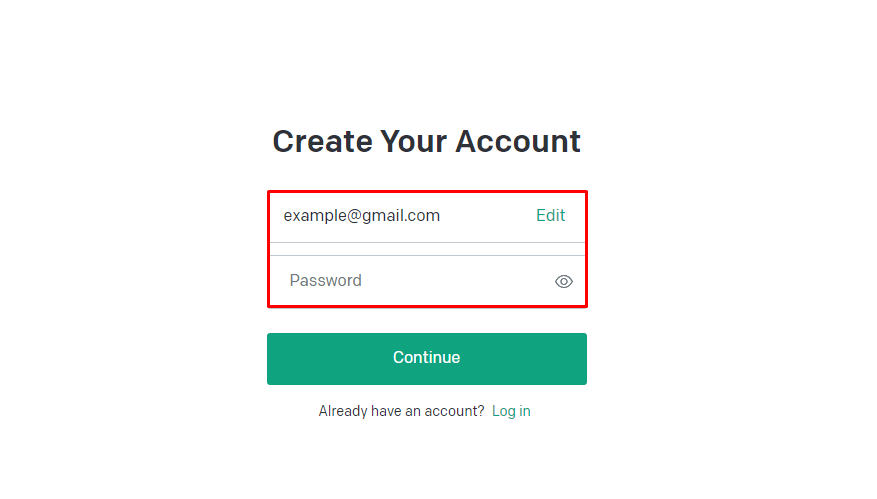
3. Confirm Your Email and Phone Number
After that, you will receive a verification request through email. Open it and click Verify email address.
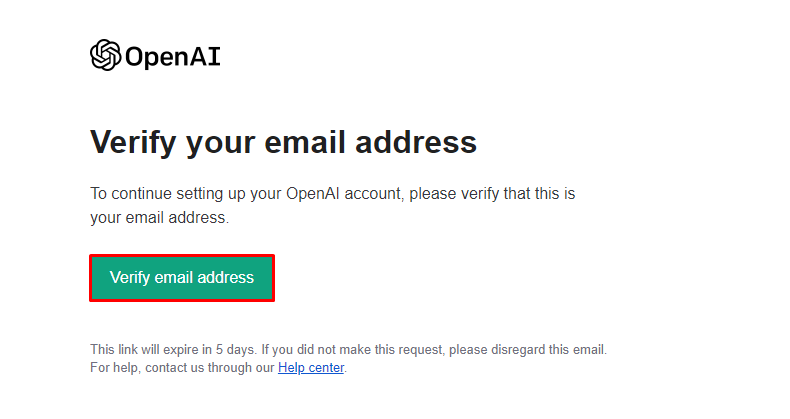
The button will direct you to OpenAI’s account onboarding page, where you have to input your name and phone number. Then, OpenAI will send a verification code to your phone number through WhatsApp or SMS.
4. Fill In Your Questions, Hit Submit, and Wait for a Response
Once you’re done with the onboarding process, you can start using the AI model by writing a question or prompt on the AI chat box. Hit enter and wait for the chatbot to respond to your query.
The speed of this response depends on how many people use the service at the moment.
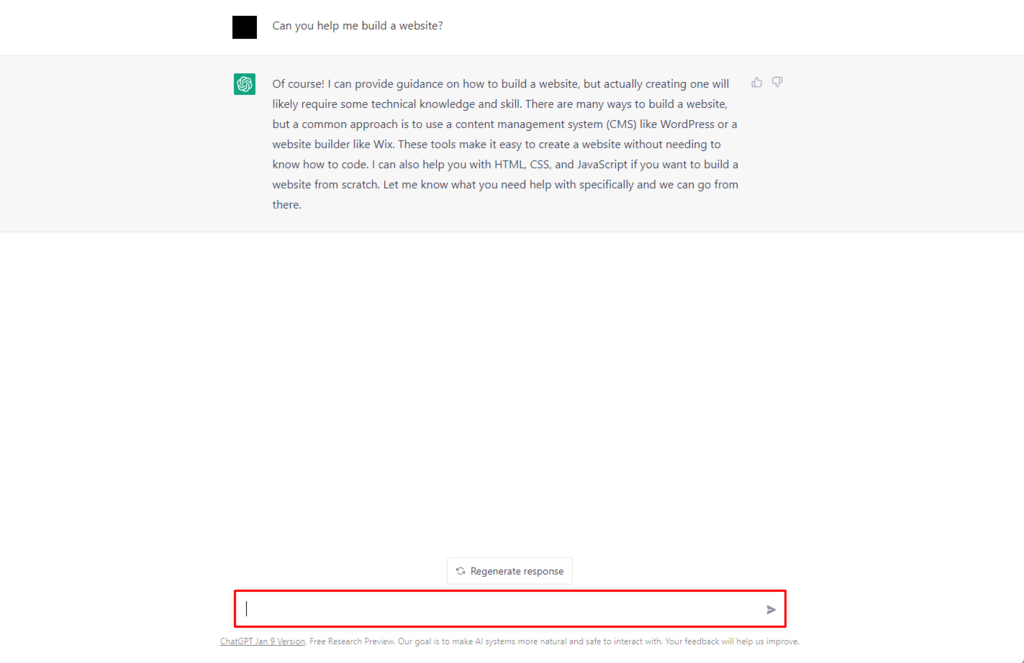
Users can rate the response by clicking either thumbs up or down, helping the AI learn the best answer for the prompt.
It is also possible to try for a new response with the same prompt by clicking the Regenerate response button above the chat box.
Read MOre